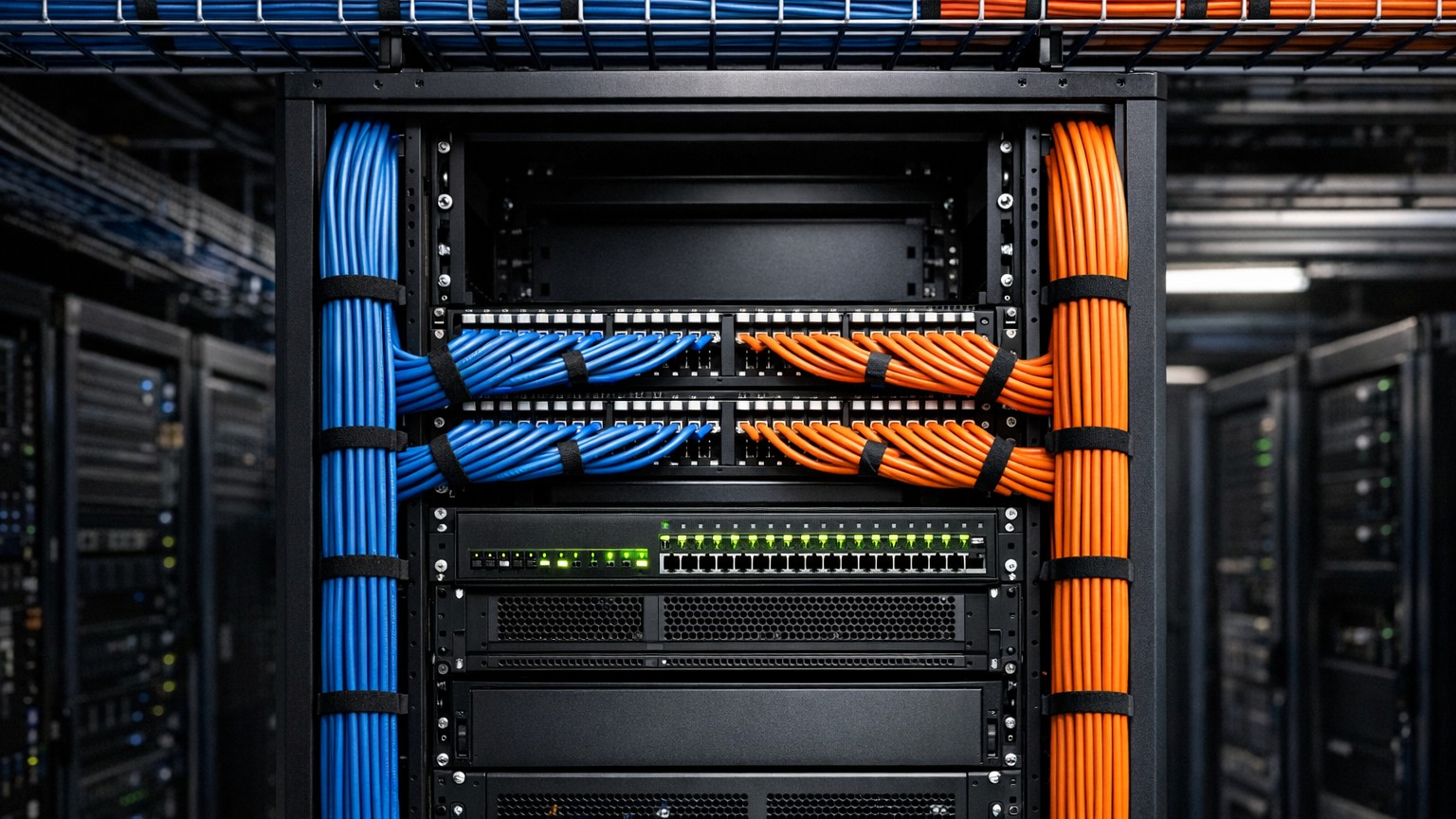
Introduction: Why Data Cabling Is Your Network's Foundation
Your business's network infrastructure is invisible until it fails. Most business owners don't think about data cabling until the internet slows to a crawl, video calls freeze mid-sentence, or entire departments lose connectivity. By then, the damage is done — productivity suffers, customers experience poor service, and emergency repairs eat into the budget.
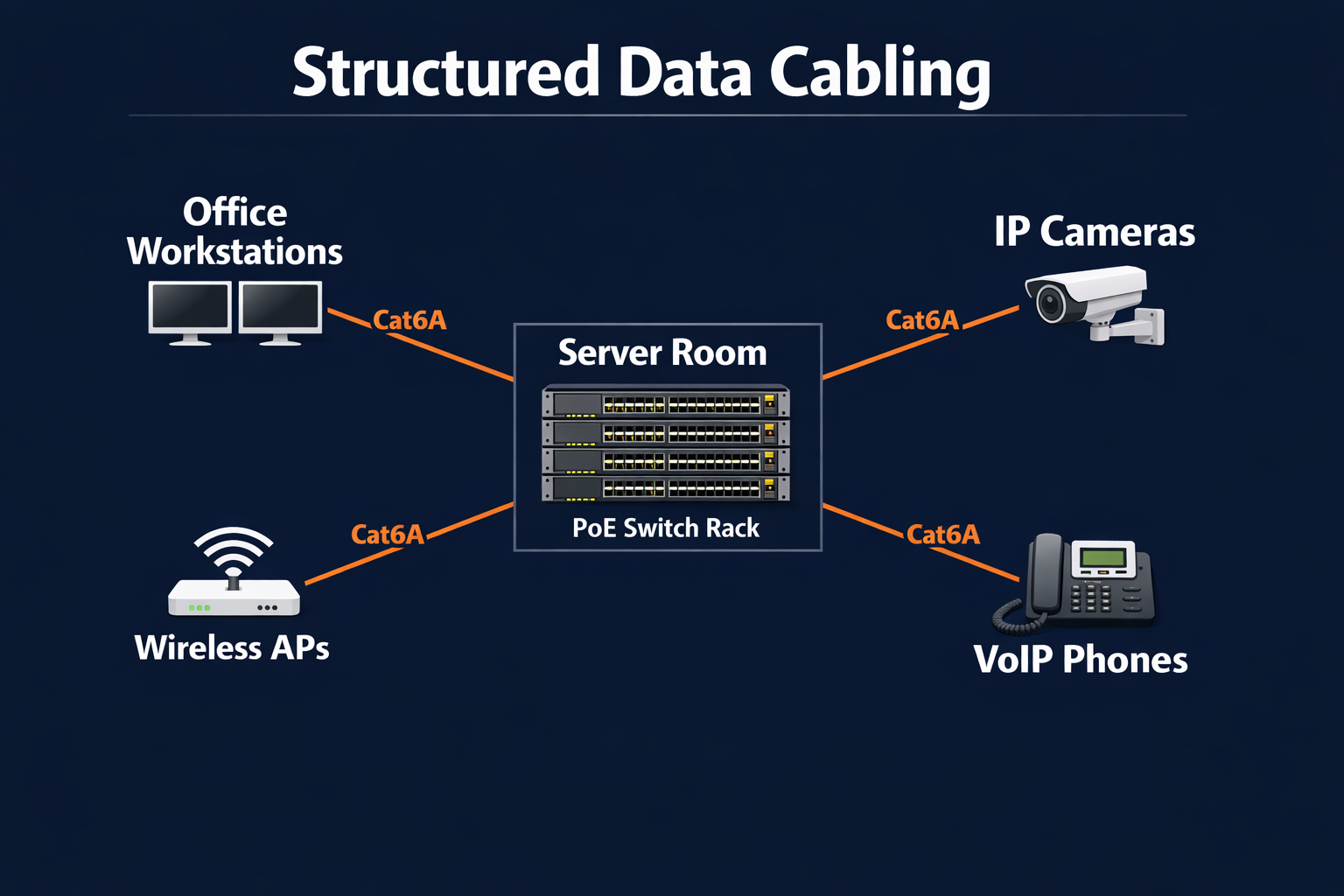
Data cabling is the literal backbone of modern business. Every email, video call, cloud application, security camera, and WiFi access point depends on structured cabling to function. Get it right from the start, and your network remains reliable for 15+ years. Ignore it, and you'll face expensive repairs, constant troubleshooting, and missed opportunities for growth.
This guide covers everything business owners and facility managers need to know about structured data cabling — what it is, why it matters, how to choose the right cable types, and when to upgrade.
What Is Structured Cabling?
Structured cabling is a standardized approach to network infrastructure. Instead of random cables scattered throughout your building, structured cabling follows organized pathways, termination standards, and documentation practices. The standard that governs this is TIA/EIA-568, published by the Telecommunications Industry Association.
Think of structured cabling like electrical wiring in a house. Just as electricians follow the National Electrical Code (NEC), network technicians follow TIA/EIA-568 to ensure cables are installed correctly, perform reliably, and are easy to troubleshoot.
The Six Subsystems of Structured Cabling
1. Entrance Facility (EF) — Where outside cables (ISP connections, carrier lines) enter your building. This includes lightning protection, surge suppression, and the demarcation point between your ISP's responsibility and yours.
2. Equipment Room (ER) — The central hub of your network. This is where your switches, routers, firewalls, patch panels, and servers live. The ER should be climate-controlled, secure, and organized for easy maintenance.
3. Backbone Cabling — The "highways" connecting your equipment room to other buildings or floors. Backbone cabling carries massive amounts of data traffic and is usually thicker or fiber-optic.
4. Telecommunications Room (TR) — Intermediate distribution points on each floor. The TR houses intermediate patch panels and switches that serve that floor's devices. Not every building needs a TR, but large buildings benefit from them to reduce cable runs.
5. Horizontal Cabling — The cables running through walls, ceilings, and cable trays from the telecommunications room (or equipment room) to individual work areas. This is the most visible part of structured cabling and is typically Cat6 or Cat6A.
6. Work Area — The outlet where a device (computer, phone, printer, security camera) connects to the network. Proper termination here ensures clean connections and reliable performance.
Choosing the Right Cable: Cat6 vs Cat6A vs Fiber
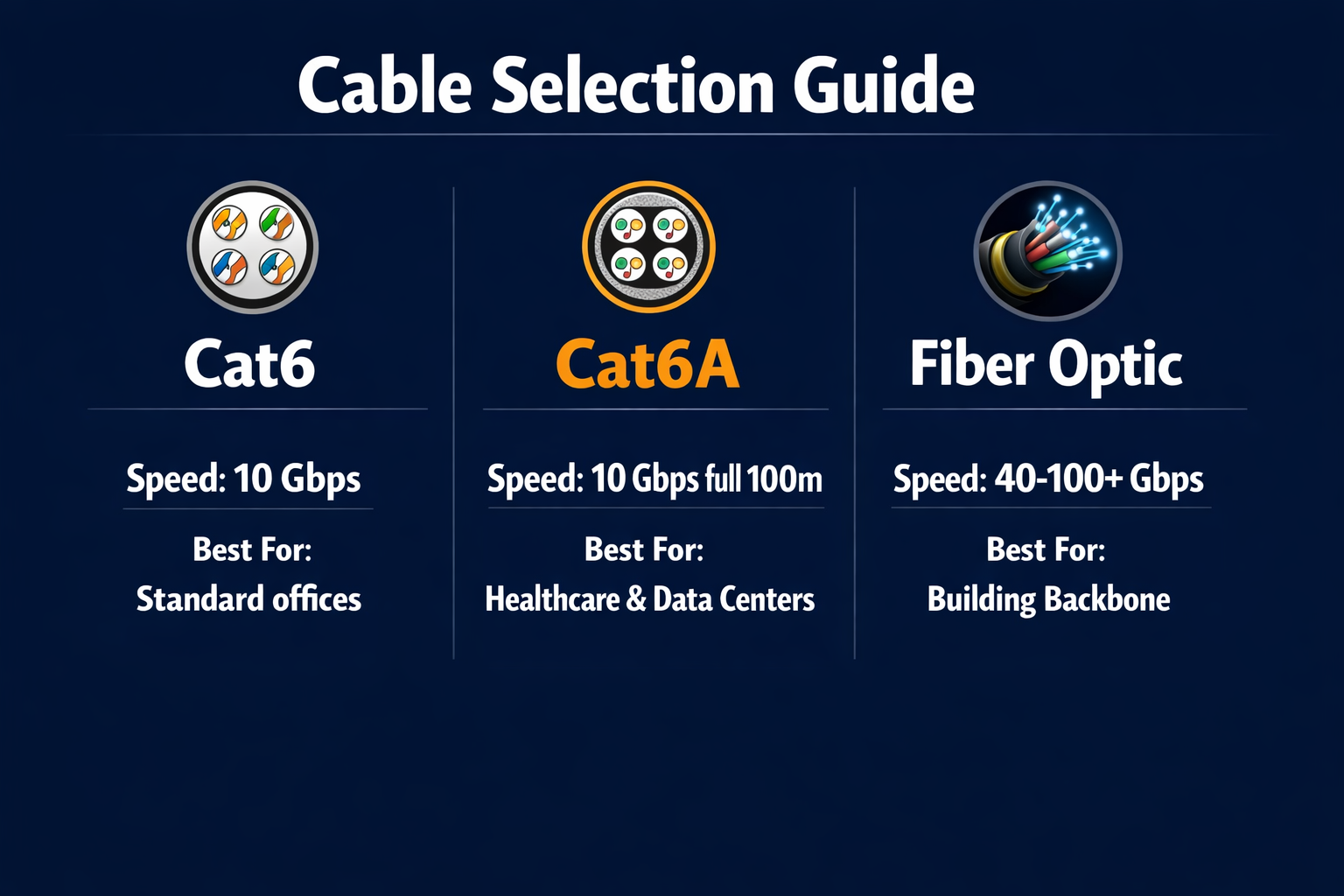
Not all network cables are created equal. The category (Cat) rating determines the cable's bandwidth capacity, speed capabilities, and maximum distance. If you're installing new cabling in 2026, Cat5e is no longer worth considering — the labor cost of installation dwarfs the cable cost difference, and Cat5e's 1 Gbps ceiling won't keep up with modern network demands. Here's what you should be looking at:
| Cable Type | Max Speed | Max Distance | Best For | Cost |
|---|---|---|---|---|
| Cat6 | 10 Gbps (at 55 meters) | 100 meters | Most commercial offices, VoIP, standard networking | Standard ($$) |
| Cat6A | 10 Gbps (at full 100 meters) | 100 meters | Future-proofing, healthcare, high-density environments | Higher ($$$) |
| Fiber Optic | 40+ Gbps (multimode) Unlimited (singlemode) |
2+ kilometers | Building backbone, campus runs, data centers | Highest ($$$$) |
Cat6: The Standard for Commercial Offices
Cat6 is the baseline for any new commercial installation. It supports 10 Gbps at up to 55 meters and 1 Gbps at the full 100-meter run — more than enough for VoIP phones, workstations, video conferencing, and standard office networking. Cat6 handles streaming video, large file transfers, and growing bandwidth demands without breaking the budget. For most office environments, Cat6 is the smart, cost-effective choice.
Cat6A: Future-Proof Your Network
Cat6A supports 10 Gbps at the full 100-meter distance and includes better shielding to reduce electromagnetic interference and crosstalk. If your business is growing, you operate in a facility you own, or you want your network to scale for 15+ years without replacement, Cat6A is the answer. It costs 30-50% more than Cat6, but the extra investment is worth it for healthcare facilities, high-density offices, and buildings where you won't be replacing cabling anytime soon.
Fiber Optic: When Distance and Speed Matter
Fiber optic cable is essential for data centers, campuses, and buildings where speeds of 40+ Gbps are needed or cable runs exceed 100 meters. Fiber supports longer distances (2+ kilometers with multimode, unlimited with singlemode) and is completely immune to electromagnetic interference. Cost is higher, and installation requires specialized training, but fiber is the standard for building backbone and inter-building connections.
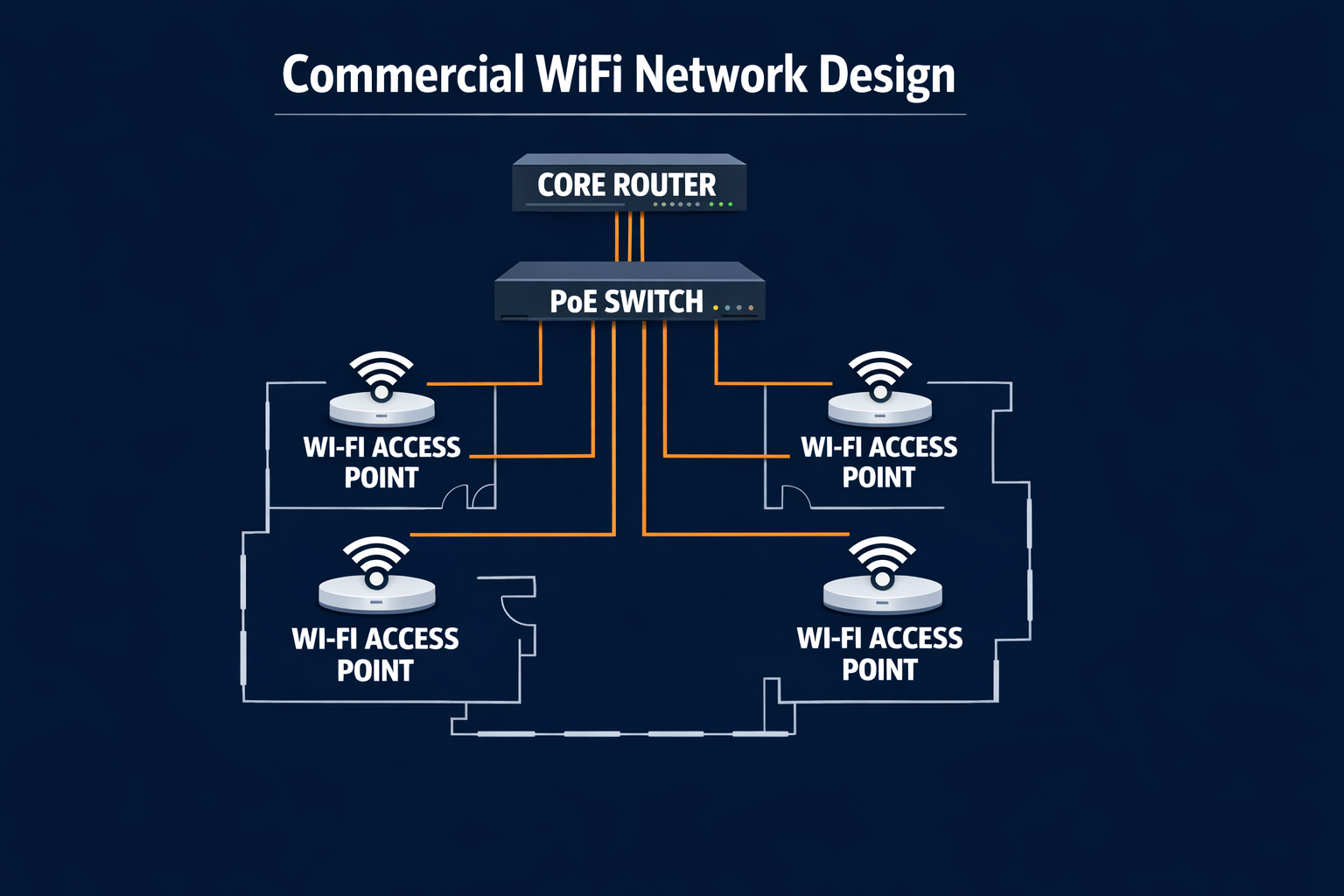
The Role of Wireless: Why You Still Need Wired Infrastructure
Many business owners think "we're going wireless" means they don't need cabled infrastructure. This is a critical misconception. Enterprise WiFi is entirely dependent on structured cabling.
WiFi Access Points Need Power and Backhaul
Modern WiFi access points (like UniFi APs) need two things: power and connectivity. Power comes through Power over Ethernet (PoE), which runs through the same Cat6A cable that carries data. So every access point location needs a Cat6A drop from your equipment room. In a typical office of 3,000 square feet, you might need 4-6 access points to provide coverage. That's 4-6 Cat6A cables running through your ceiling, all terminating at your switch and PoE injectors.
Backhaul is the connection from the access point back to your core network. In large buildings, you might mesh access points to extend coverage, but the quality of your backhaul directly affects your WiFi speeds. Proper structured cabling ensures your backhaul is reliable, fast, and stable.
Enterprise WiFi Coverage Planning
A professional WiFi deployment isn't about slapping access points in random locations. Site surveys measure existing RF (radio frequency) conditions, identify dead zones, and determine the optimal placement of APs. This survey happens after your structured cabling is planned. You design your cabling to support the planned AP locations, ensuring every AP can be powered and backhaul-connected properly.
Cable Testing and Certification
Installing cable is only half the battle. Proper testing ensures your cables perform as intended and troubleshooting is faster when problems arise.
What Gets Tested?
Wiremap — Verifies that each of the 8 wires in your cable is connected to the correct pin at both ends. A single reversed wire can cause intermittent failures.
Cable Length — Confirms the cable doesn't exceed maximum distance (100 meters for Cat6/6A). Cables that are too long introduce signal degradation.
Insertion Loss — Measures how much signal strength is lost as data travels through the cable. Higher insertion loss means slower speeds and shorter distances before signal becomes too weak.
NEXT (Near End Crosstalk) — Tests how much signal from one pair of wires interferes with adjacent pairs. Poor NEXT means one conversation gets mixed with another's data.
Return Loss — Measures impedance mismatches along the cable that cause signal reflections. Poor return loss leads to data errors and retransmissions.
The Fluke DSX CableAnalyzer Standard
Professional technicians use instruments like the Fluke DSX CableAnalyzer to test and certify cables. This device automatically tests all parameters above and prints a certificate showing pass/fail for each cable run. Certified cables come with warranties. Your manufacturer guarantees the cable's performance at its rated speeds and distance for 25+ years — but only if you can provide certification paperwork.
Without certification, troubleshooting becomes a nightmare. If your network slows down, the ISP blames your cabling, the cabling contractor blames the ISP, and your business sits in the middle paying emergency service fees to figure it out.
Signs Your Building Needs a Cabling Upgrade
Not every building has outdated cabling, but these warning signs suggest it's time to assess your infrastructure:
- Slow network speeds despite adequate bandwidth from your ISP. Test your actual speeds with a speedtest. If you're paying for gigabit but getting 100 Mbps, cabling is likely the culprit.
- Frequent connection drops on WiFi or wired connections. Intermittent problems often point to poor cable quality or improper termination.
- Old Cat5 or Cat5e cabling in your building. If your last cabling installation was before 2015, it's outdated for modern workloads and should be upgraded to Cat6 or Cat6A.
- No cable management or documentation. Cables scattered throughout ceiling spaces with no labels or records. This makes troubleshooting impossible and future upgrades expensive.
- Daisy-chained switches or hubs. Each switch you daisy-chain degrades performance and adds latency.
- Overloaded patch panels with cables tangled together. This is both a fire risk and a sign your network is stretched beyond its design.
- Video streaming or large file transfers are slow even with fast internet. Local network bottlenecks, not ISP speed, are the issue.
What to Expect During Installation
A professional structured cabling installation follows a proven process:
1. Site Survey
The technician walks through your building, measures distances, identifies cable routing paths (through walls, ceilings, cable trays), and notes obstacles (HVAC ducts, plumbing, existing conduits). They map out where equipment rooms and telecommunications rooms should be, and count the number of cable runs needed for each work area.
2. Design and Planning
Based on the survey, a cabling plan is created showing cable routes, termination locations, and quantities. You'll approve the plan before work starts so there are no surprises about where cables run or how many outlets you get.
3. Cable Pathway Installation
If conduit or cable tray doesn't exist, it's installed first. Cable trays keep organized, protect cables from physical damage, and make future additions easier.
4. Cable Pulling
Technicians carefully pull cable through pathways without exceeding bend radius (typically 1 inch for Cat6A) or pulling tension. Cables are labeled at both ends to identify them.
5. Termination
At each end, cables are terminated to outlets or patch panels. Termination must follow TIA/EIA-568B standard wiring order — misaligned wires cause data errors. Careful termination is where skilled labor makes a difference.
6. Testing and Certification
Every cable run is tested with a certified analyzer. Cables that fail are re-terminated and retested until they pass. You receive certification paperwork for every run.
7. Documentation and Labeling
Every cable, outlet, and patch panel port is labeled and documented. A schematic map is created showing your cabling layout. This documentation saves countless hours of troubleshooting later.
8. Handoff and Training
You receive all documentation, cable plans, test certificates, and training on your new cabling system. Your IT team learns the layout and how to add new cables or outlets in the future.
Need Structured Cabling for Your CT Business?
AAA Electrical Services has been designing and installing data cabling systems across Connecticut since 2009. We handle site surveys, cable pathway planning, Cat6A pulls, testing, certification, and complete documentation. Your network deserves a professional foundation.
Call 203-389-5112Cabling Infrastructure as a Business Investment
Structured data cabling isn't a cost center — it's an investment in your business's operational reliability. A properly installed cabling system pays dividends through faster productivity, fewer network outages, easier scaling, and reduced emergency repair costs.
When you choose to upgrade your cabling, you're choosing reliability for the next 10-15 years. Cat6A cabling installed today will still be supporting gigabit-class traffic well into 2040. That's one of the best ROI investments you can make in your building's infrastructure.
Related Services
Find Your Town
We install structured data cabling and network infrastructure across southern Connecticut. Find your town for local service information: